
How to Re-Engage Cold Leads in Salesforce: A 5-Step Guide
- Sales teams close more deals by focusing on prospects who have already shown interest.
- Useful resources get more replies than annoying "checking in" emails or hard sales pitches.
- Personalized follow-ups based on past meetings get more responses than generic cold emails.
- Real-time alerts tell your team exactly when a cold lead is ready to talk again.
- Low-pressure content builds trust and makes it easy for prospects to restart the conversation.
- Automated safety nets ensure expensive trade show leads are never lost or forgotten.
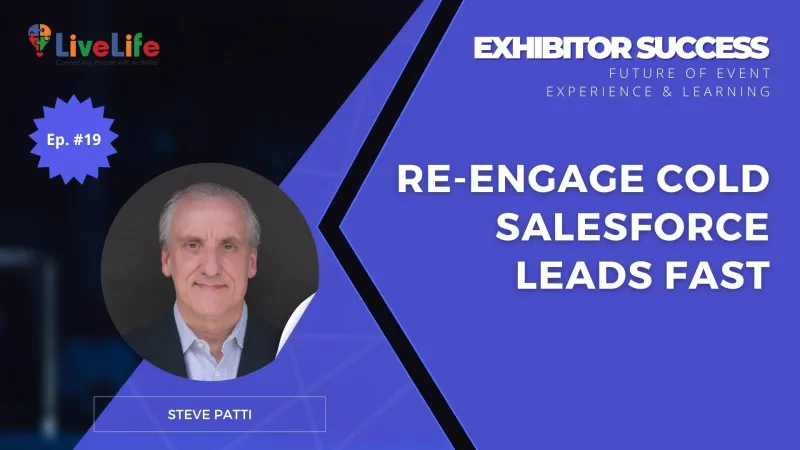
This is the summary based on The FEEL Podcast with Steve Patti.
To stop the revenue leak, you must first isolate the leads worth saving. Before launching a campaign, use this Salesforce filtering framework to identify high-potential dormant prospects:
- Filter by Last Activity: Pull a report of leads with no touchpoints in 60–90 days.
- Segment by Source: Prioritize leads from high-intent interactions, such as trade show booth scans or direct inquiries.
- Update Lead Status: Move these records into a dedicated "Re-engagement" status to track recovery rates accurately.
This data cleanup ensures your sales team focuses only on leads with a genuine history of interest.
Reviving Interest Through Low-Friction Value
With your leads properly segmented in Salesforce, the strategy moves away from "checking in" and toward providing immediate, relevant value. Cold leads often ignore emails because they anticipate a high-pressure sales pitch they aren't ready for.
Effective re-engagement works by lowering the barrier to entry. Instead of asking for a meeting, you offer educational assets or industry insights that align with the specific challenges they faced when you first met at the exhibition.
Why Value-Based Re-engagement Works
- Re-establishes Authority: It positions your brand as a problem solver rather than just another vendor in their inbox.
- Reduces Friction: Consuming a helpful report or video requires less commitment than a 30-minute discovery call.
- Triggers Reciprocity: Providing value for free often encourages prospects to re-open the dialogue naturally.
By using the historical data already stored in your CRM, you can ensure these touchpoints feel personal rather than automated. This shift in tone signals to the prospect that you are invested in their success, not just your sales target.
This method transforms a cold record back into a warm conversation by focusing on a personalized follow-up strategy that addresses the "why" behind their initial interest.
Why Leads Stagnate In Your Salesforce Pipeline
Even with a defined workflow between teams, prospects often drift into the "cold" category because of a fundamental breakdown in context during the transition.
When a lead stops responding, Salesforce often treats the record as a dead end rather than a temporary pause, causing the original "why" behind their interest to evaporate.
The Context Gap In CRM Management
This stagnation usually happens because the CRM is used as a storage unit rather than a strategic tool. When a lead is moved back to marketing, the situational awareness from the initial booth conversation is often lost.
- Generic Automation: Without specific triggers, Salesforce may default to broad marketing tracks that ignore the prospect's unique industry pain points.
- The Timing Fallacy: Systems often flag leads as "cold" based on arbitrary timelines, failing to account for the complex, multi-month buying cycles in B2B sectors.
- Data Silos: When sales notes aren't translated into actionable marketing segments, the re-engagement attempt feels like starting from zero.
A cold lead is rarely a disinterested one; it is typically a lead whose internal priorities have shifted, leaving them stuck in a feedback loop that no longer matches their current reality.
Operationalizing Your Salesforce Re-Engagement Strategy
To turn your automated triggers into actual conversations, you must categorize your cold leads based on their original point of interest within the CRM.
Filter Leads by Exhibition History
Use Salesforce reports to group leads by Lead Source or Campaign. This allows you to reference the specific trade show where the connection was first made, ensuring the outreach feels like a continuation of a past meeting rather than a random cold call.
Build Conditional Content Tracks
Create three distinct email templates in Salesforce based on the lead's last known status. One track should target leads who requested a demo but stalled, while another focuses on those who merely scanned a badge at your booth. This segmented approach ensures the content matches their previous level of intent.
Implement a Hand-Back Protocol
Define a rule within your Salesforce Flow for when a lead moves from marketing back to sales. For instance, if a cold lead clicks a specific high-intent link—like a pricing page or a case study—the system should instantly trigger a Task Assignment for the original sales owner to reach out within 24 hours.
Transitioning From Generic Pitches to Value-Based Outreach
Automating the notification in Salesforce is only half the battle. If your sales team reaches out with a "just checking in" email, the lead will likely go cold again. To successfully re-engage these prospects, you must pivot from being a seller to a resource.
The Power of Low-Pressure Invitations
Instead of pushing for a product demo, offer access to high-value interactions that require little commitment but offer high insight. This strategy transforms a cold touchpoint into a warm invitation. Effective options include:
- Exclusive Industry Insights: Invite them to a webinar featuring a niche expert or a live Q&A session.
- Local Networking: Mention an upcoming trade show or local exhibition where your team will be hosting a small gathering.
- Educational Assets: Share a podcast episode or a case study that solves a specific problem they recently researched on your site.
Why Supporting Actor Content Works
This approach positions your brand as a helpful guide rather than a persistent hunter. By providing "supporting actor" content, you lower the barrier to entry for the prospect. They feel they are gaining knowledge rather than being sold to, which builds the trust necessary to move them back into the active sales funnel without the pressure of a hard pitch.
Setting Up a Repeatable Re-Engagement Workflow
To turn these low-pressure insights into a repeatable process, you need a structured workflow within your CRM. This ensures no lead falls through the cracks and your sales team knows exactly when to step back in without manual guesswork.
Step-by-Step Salesforce Implementation
- Segment by Activity Gaps: Create a filtered list or report where the "Last Activity Date" is older than 45 days. This identifies exactly who has gone silent.
- Update Lead Status: Move these prospects to a dedicated "Re-engagement" or "Nurture" status. This keeps your active pipeline clean while ensuring these leads remain visible for marketing efforts.
- Automate Content Delivery: Use Salesforce Flow to trigger an email sequence when a lead enters the "Nurture" stage. Deliver the "supporting actor" content—like a trade show recap or a whitepaper—based on their original interest.
- Track Engagement Signals: Set up notifications for account owners when a cold lead clicks a link or downloads a resource. This is the signal that they are ready for a human follow-up.
- Log Every Interaction: Ensure all automated touches are logged as activities. This data is vital for analyzing which re-engagement hooks actually work.
By formalizing this automated follow-up sequence, you shift from reactive chasing to a systematic recovery of lost opportunities.
Turning Salesforce into a Self-Sustaining Revenue Engine
When your CRM handles the heavy lifting of lead nurturing, your sales team stops guessing and starts closing. The most effective way to re-engage cold leads in Salesforce is to move away from manual outreach and toward automated nurture workflows that trigger based on lead inactivity.
This approach works because it solves the two biggest killers of trade show ROI: human forgetfulness and inconsistent follow-up. By centralizing your re-engagement strategy within Salesforce, you ensure that:
- Every lead has a safety net so no exhibition contact is truly lost or forgotten.
- Marketing and sales stay aligned through shared data on which specific "hooks" actually get a response.
- Timing is optimized by using engagement signals to alert sales exactly when a cold lead warms up again.
Building a system that recovers lost opportunities requires a clear map of your sales cycle and a structured way to measure lead health. If you are struggling to see a clear return from your exhibition leads, it may be time to evaluate your current CRM framework to identify where the data leaks are happening and how to plug them.

Frequently Asked Questions
Q1: How do I identify which cold leads in Salesforce are actually worth re-engaging?Filter your CRM data by "Last Activity Date" to find leads silent for 60–90 days, then segment by "Lead Source" to prioritize high-intent origins like trade show booth scans. Move these specific records into a "Re-engagement" status to isolate high-potential prospects from dead data, ensuring your sales team focuses only on those with a documented history of interest.
Q2: Why do my Salesforce re-engagement emails keep getting ignored by exhibition prospects?Most outreach fails because it relies on "checking in" rather than providing immediate value. Cold leads ignore these messages to avoid high-pressure sales pitches. To fix this, pivot to "supporting actor" content—such as a niche industry report or a trade show recap—that addresses the specific challenges they faced when you first met, lowering the barrier to entry.
Q3: What is the biggest mistake when setting up a Salesforce re-engagement strategy for dormant leads?The most common error is using generic automation that ignores the original context of the lead. When a lead is moved from sales back to marketing, the situational awareness from the initial conversation often evaporates. You must build conditional tracks in Salesforce Flow that trigger content based on the lead’s specific industry pain points or their last known status in the funnel.
Q4: How can I automate the hand-off from marketing back to sales once a cold lead warms up?Implement a "Hand-Back Protocol" using Salesforce Flow triggers. Set the system to monitor for high-intent engagement signals, such as clicking a pricing page link or downloading a case study. Once triggered, the system should instantly create a Task Assignment for the original account owner to reach out within 24 hours while the interest is fresh.
Q5: What are the most effective low-friction hooks to re-engage cold leads in Salesforce?Replace the request for a 30-minute discovery call with invitations to low-commitment, high-value interactions. Offer access to an exclusive webinar, a link to a relevant podcast episode, or an invite to a local networking event. These "low-pressure" invitations trigger reciprocity and allow the prospect to re-enter the sales funnel without the stress of a formal pitch.
Q6: How do I prevent trade show leads from leaking out of my Salesforce pipeline in the first place?Establish a repeatable workflow that triggers as soon as a lead hits a 45-day inactivity threshold. By automating the transition to a "Nurture" stage and logging every automated touchpoint as an activity, you create a safety net that catches prospects before they go completely cold, transforming your CRM into a self-sustaining revenue engine.

Banner

Write a comment