
Best Ways to Capture Trade Show Lead Conversations
- Error-free lead data replaces illegible handwriting and manual entry mistakes through digital capture tools.
- Reliable data collection continues even when trade show Wi-Fi fails with offline-capable applications.
- Faster sales happen when instant tagging identifies ready-to-buy prospects right on the floor.
- Rich prospect profiles stay accurate when voice-to-text notes capture details that business cards miss.
- Immediate follow-up emails reach prospects before they leave the show via real-time CRM syncing.
- Personalized outreach replaces generic sales pitches by documenting specific visitor challenges during the talk.
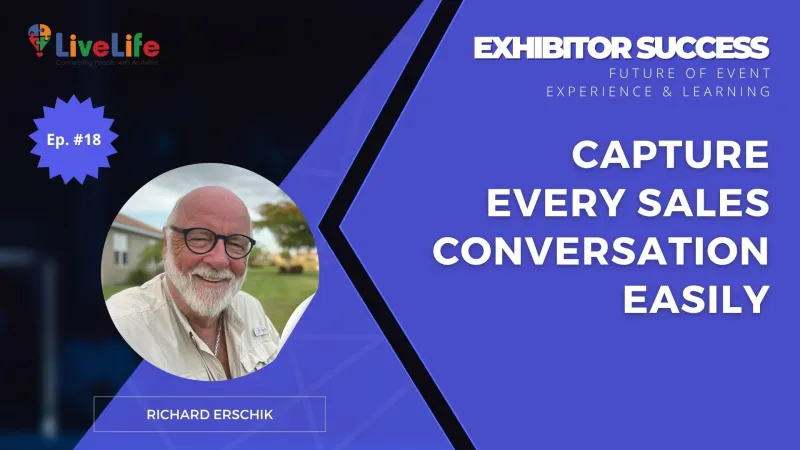
This is the summary based on The FEEL Podcast with Richard Erschik.
To stop losing data, you need a standardized lead capture framework before the doors even open. Start by digitizing the process to eliminate illegible handwriting and manual entry errors.
Implement these three non-negotiable steps to organize your workflow:
- Select a mobile-friendly lead retrieval app that works offline to avoid common trade show Wi-Fi issues.
- Create a "Quick-Tap" form with pre-set fields to minimize typing during high-traffic hours.
- Define lead qualification criteria like budget and timeline to tag high-value prospects immediately.
This setup ensures every conversation is categorized by actual sales potential, not just contact info.
Why Booth Traffic Does Not Always Translate To Sales Data
Once you have defined your qualification criteria, the challenge shifts to the physical reality of a busy exhibition floor. In high-traffic environments, sales teams often fall into a volume trap where the goal becomes collecting as many business cards as possible.
The Breakdown Of Memory During Peak Hours
When the booth gets crowded, "staff overwhelm" sets in. This psychological shift causes representatives to rush through conversations to avoid keeping the next person waiting.
In this hurry, the nuances of a prospect’s specific pain points are rarely documented. The focus moves from understanding the buyer to simply finishing the interaction.
This is why relying on physical business cards or basic contact lists often fails. A name and an email address tell you who someone is, but they offer zero insight into why that person stopped by.
Without a way to anchor the conversation to the data immediately, the lead effectively goes cold the moment they walk away. The "trade show lead capture process" breaks down because the context is stored in a tired staff member's head rather than a retrieval system.
A Step-by-Step Framework for Capturing High-Quality Lead Data
To bridge the gap between a handshake and a closed deal, you need a repeatable system that removes the guesswork for your booth staff.
1. Standardize Your Digital Capture Tool
Stop using paper business cards as your primary record. Use a dedicated lead retrieval app or trade show lead management software that allows for custom fields.
Ensure every team member has the app synced to their phone and knows how to use the "notes" feature before the doors open.
2. Implement the 3-Minute Post-Chat Rule
Context fades the moment the next visitor walks in. Instruct your team to spend exactly three minutes after every conversation recording specific details while they are fresh.
- Use voice-to-text to note the visitor’s specific business pain point.
- Record any personal "hooks" mentioned, like a current project or a specific timeline.
- Identify the exact product or service they focused on during the demo.
3. Categorize Leads Using "Hot, Warm, Cold" Tags
Don't wait until you're back at the office to start qualifying leads on the floor. Add a mandatory tag field to your digital capture form.
- Hot: Ready for a demo or quote within 48 hours.
- Warm: Interested but requires more educational content or follow-up.
- Cold: General information seeker or low-priority contact.
Capturing the Context Behind the Contact Information
Moving from automated data collection to high-quality engagement requires a shift in how your team views the conversation itself.
A lead’s email address is only a starting point; the real value lies in the nuances of the dialogue. The most effective approach involves categorizing intent while the interaction is still fresh.
Intent-Driven Qualification
High-performing teams focus on capturing "intent signals" rather than just collecting business cards. This works because it allows sales teams to prioritize follow-ups based on the visitor’s specific pain points and their current stage in the buying journey.
Layering Contextual Data
Capturing the "why" behind a visit transforms a cold lead list into a warm pipeline. By recording the specific challenges a visitor mentioned during the talk, you ensure the subsequent outreach feels like a natural continuation of a helpful conversation, not a generic sales pitch.
- Focuses on lead quality over total volume.
- Aligns booth staff with the post-show sales cycle.
- Eliminates guesswork during the follow-up phase.
Implementing a Standardized Lead Capture Framework
Once you have defined your sales cycle, the next step is ensuring the data captured on the floor actually fits into that workflow.
Relying on memory or a stack of business cards leads to "dead" leads. You need a fast, repeatable system that staff can use without slowing down the booth flow.
The Three-Step Capture Routine
- Digital-First Documentation: Use a lead capture app that allows for instant voice-to-text notes. This preserves the specific details of the conversation that business cards miss.
- Mandatory Qualifying Tags: Create a dropdown menu in your app with tags like "Immediate Project," "Research Phase," or "Competitor User." This automates the sorting process.
- The 60-Second Buffer: Train staff to take one minute between visitors to finalize notes. Capturing the "why" behind their visit is more important than the quantity of badges scanned.
This structured approach ensures your CRM is populated with actionable insights rather than just contact names, making the transition to the sales team seamless.
A Standardized Framework for Capturing Real-Time Lead Insights
To turn a casual chat into a qualified lead, your team needs a repeatable process that goes beyond a simple badge scan. This ensures every conversation is documented with the context your sales team needs to close the deal.
Implement a Three-Step Qualification Script
- The Opener: Avoid "Can I help you?" Instead, ask, "What specific challenge brought you to this show today?"
- The Value Check: Identify their timeline and urgency by asking, "Are you looking for a solution to implement this quarter, or just researching for next year?"
- The Commitment: Always end with a specific next step, such as "I’ll send you the case study we discussed by Tuesday morning."
Use Digital Lead Forms with Custom Context Fields
Don't rely on memory. Use a lead capture app that allows for quick tagging. Include a "Notes" section for voice-to-text input immediately after the prospect leaves the booth.
Recording details like their specific pain points or the names of competitors they currently use provides the "why" that makes your follow-up feel personal rather than automated. This data is the bridge between a busy trade show floor and a successful sales conversion.
How to Build a High-Performance Lead Capture Workflow
Turning a conversation into a conversion requires a structured system that works in the heat of a busy trade show floor. Once your technology is audited, you need a repeatable process for your team to follow.
1. Standardize Your Capture Method
Ditch the business card fishbowl. Use a digital lead capture tool that allows your team to scan badges and immediately attach specific notes about the pain points mentioned during the chat.
2. Implement Real-Time Lead Qualification
Don't wait until the show ends to sort your data. Use a simple 'A-B-C' ranking system based on budget, authority, and timeline during the real-time lead qualification process.
- Hot (A): Immediate need and clear decision-making power.
- Warm (B): Genuine interest but researching for a future quarter.
- Cold (C): General inquiry or non-decision maker.
3. Sync Data for Immediate Follow-Up
Ensure your lead data syncs directly to your CRM every hour. The goal is to have a personalized follow-up email in their inbox before they even leave the exhibition hall.
If you are unsure whether your current booth setup is actually capturing the right data, we can help you map out a more effective lead management framework to ensure no high-value conversation is wasted.

Frequently Asked Questions
Q1: How can we improve our trade show lead capture process to avoid losing data?Switch to a digital-first system using a mobile-friendly app that works offline to bypass unreliable venue Wi-Fi. Standardize your workflow by implementing "Quick-Tap" forms with pre-set fields and requiring staff to record voice-to-text notes within three minutes of every conversation to preserve specific context before it fades.
Q2: Why is relying on physical business cards a mistake for lead management?Business cards only provide contact identity, not buyer intent. They lack the "why" behind the visit and frequently lead to manual entry errors or lost context during peak hours. Without a digital system to anchor specific pain points and qualifying tags to the name, the lead effectively goes cold the moment the prospect walks away.
Q3: What are the essential components of a standardized lead capture framework?A high-performance framework requires three steps: digital-first documentation to eliminate handwriting errors, mandatory qualifying tags (Hot, Warm, Cold) based on budget and timeline, and a 60-second buffer between visitors for staff to finalize specific conversation "hooks" and intent signals in the CRM.
Q4: How do you maintain lead quality when the booth is crowded?Avoid the "volume trap" by training staff to use a three-step qualification script that focuses on identifying challenges and urgency rather than just scanning badges. Use a lead retrieval app with custom fields so staff can quickly categorize intent using dropdown menus without slowing down the traffic flow.
Q5: What real-time qualification criteria should booth teams use?Implement a simple A-B-C ranking system. Rank leads as "Hot" if they have an immediate project and decision-making power, "Warm" if they are researching for a future quarter, and "Cold" for general inquiries. This allows your sales team to prioritize follow-ups based on actual conversion potential rather than chronological order.
Q6: What is the most effective way to ensure fast post-show follow-up?Sync your lead data directly to your CRM every hour during the event. By capturing "intent signals" and specific pain points digitally on the floor, you can automate personalized follow-up emails that reference the actual conversation, ensuring the outreach hits the prospect's inbox while the interaction is still fresh.

Banner
Write a comment