
Why Your Exhibition Lead Management Workflow is Failing
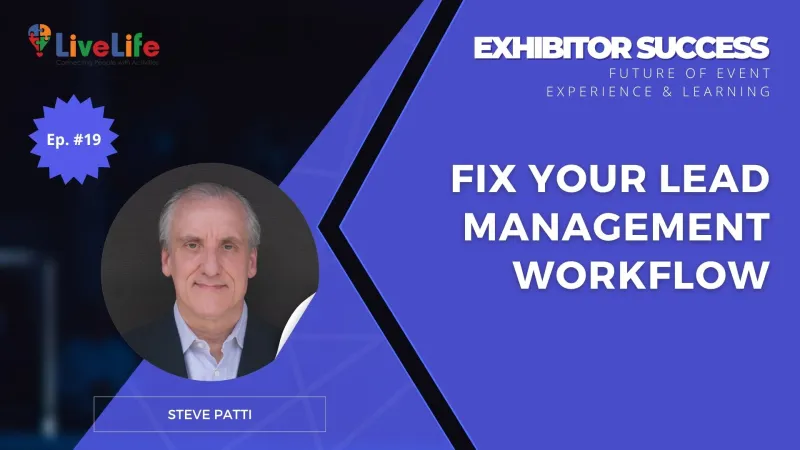
- Faster response times prevent competitors from winning the deal before you even follow up.
- Higher conversion rates come from stopping lead leakage and protecting your expensive contact data.
- More closed deals result from mentioning specific conversation details in your first follow-up email.
- Better sales efficiency happens when teams focus on hot leads instead of casual booth browsers.
- Stronger brand recall occurs when you reach out while the visitor is still on-site.
- Proven event ROI comes from connecting every booth scan directly to your final sales revenue.
This is the summary based on The FEEL Podcast with Steve Patti.
Walking away from a trade show with a fishbowl full of business cards feels like success, but it’s often the start of a quiet failure. Without a structured exhibition lead management workflow, these contacts remain nothing more than expensive paper.
The friction usually starts with manual data entry. It’s slow, prone to errors, and creates a bottleneck that stalls sales momentum. By the time your team finally follows up, your hottest prospects have already moved on. This lead leakage is the primary reason exhibition budgets fail to show a real return.
Why Exhibition Lead Management Often Breaks Down
This leakage happens because most booth teams treat lead capture as a data-entry chore rather than a critical race against time.
When there is no immediate bridge between the physical handshake and your sales pipeline, the momentum of a face-to-face meeting evaporates within hours.
The Disconnect Between Capture and Context
The core of the issue is a fragmented exhibition lead management workflow. Information is often gathered in silos, leaving sales teams with names but no insight into the prospect’s specific needs.
- Static data storage: Business cards or basic spreadsheets offer no real-time visibility for remote sales teams.
- Contextual loss: Vital details about the conversation are forgotten by the time the data is finally uploaded.
- Delayed routing: Leads sit in "digital purgatory" while the prospect is already talking to a competitor who responded faster.
This structural friction turns a high-intent environment into a series of missed connections, making it impossible to track the journey from booth visitor to closed deal.
Why Lead Data Often Dies Before It Reaches Sales
When Sales and Marketing operate in silos, the exhibition lead management workflow becomes a series of manual handoffs. This friction is why high-intent prospects often go cold before the first follow-up email is even sent.
The Gap Between Physical Interaction and Digital Records
The primary reason leads vanish into "digital purgatory" is the lack of a bridge between a booth conversation and your CRM. Without a structured explanation of how data moves, information remains trapped in physical business cards or fragmented notes.
- Contextual Decay: The specific pain point a visitor mentioned disappears if it isn't captured and routed within minutes of the interaction.
- Qualification Mismatch: Marketing may flag everyone as a "hot lead," while Sales views the list as "unqualified noise" because there is no shared definition of intent.
- Broken Feedback Loops: Sales cannot provide feedback on lead quality if they are still manually sorting through outdated spreadsheets days after the event.
This breakdown happens because most companies treat the trade show as an isolated event rather than a data-entry point for an automated lead distribution system. When the "why" behind a visitor's interest isn't clarified immediately, the lead loses its value.
Capturing Intent Through Real-Time Data Integration
Solving the "lost lead" problem requires moving the data entry point from the back office directly to the trade show floor.
A unified workflow works because it captures the specific context of a conversation while the prospect is still standing in your booth.
Why Instant Lead Categorization Protects Your Investment
When you use a digital system that syncs directly with your CRM, you eliminate the "black hole" period where leads sit in a briefcase for a week.
- Immediate lead scoring separates high-intent buyers from casual browsers before the event even ends.
- Automated alerts notify sales teams to act while your brand is still fresh in the visitor's mind.
- Contextual notes preserve the "why" behind an inquiry, giving your team a warm, personalized opening for the first follow-up.
This approach transforms the exhibition from a static physical event into a live digital touchpoint, ensuring no valuable insight is left to memory.
By prioritizing a system that captures intent instantly, you bridge the gap between initial curiosity and a qualified sales opportunity.
Standardizing Success with a Centralized Lead Ecosystem
Moving beyond the chaos of manual collection requires a shift toward a centralized lead management workflow. This system acts as a single source of truth, capturing data the moment a conversation ends at your booth.
By digitizing the intake process, you eliminate the "black hole" where business cards and scribbled notes go to be forgotten. The solution lies in immediate data entry that prioritizes behavioral context over simple contact details.
Why Real-Time Categorization Works
- Contextual Accuracy: Capturing specific intent while the conversation is fresh ensures the eventual follow-up is highly relevant to the prospect's needs.
- Instant Lead Scoring: A structured system can automatically flag high-value prospects based on their interactions, allowing your team to prioritize the hottest opportunities.
- Data Integrity: Direct sync with your CRM prevents the common errors and delays associated with post-event manual data entry.
This approach ensures that every insight gathered from your panels and partner activations flows directly into a pipeline that your sales team can actually trust and act upon immediately.
How To Build Your Exhibition Lead Management Workflow
Moving from data synchronization to actual revenue requires a structured hand-off process.
To turn CRM data into results, you need a repeatable framework that dictates exactly what happens the moment a badge is scanned.
Define Your Lead Scoring Criteria
Categorize leads based on the distinction between sales-ready and brand-influenced contacts mentioned previously.
Assign higher values to specific behaviors, such as requesting a product demo or sharing budget timelines, versus simply attending a speaking session.
Map Your Automated Triggers
- Immediate Acknowledgment: Set your CRM to trigger a personalized "Thank You" email within an hour of the scan.
- Sales Notifications: Automatically alert the relevant account executive when a high-priority lead enters the system.
- Nurture Tracks: Route brand-influenced contacts into an educational email sequence rather than a direct sales call.
Establish Clear Ownership
Define a 48-hour rule for high-intent follow-ups to ensure your team reaches out while the event is still fresh in the prospect's mind.
This structure prevents leads from "rotting" in the database and ensures every scan has a designated next step.
A Practical Framework For Your Trade Show Lead Tracking System
To turn the 48-hour rule into a repeatable habit, your team needs a structured handoff that removes all guesswork.
Follow this four-step checklist to ensure no high-value conversation falls through the cracks:
- Categorize at the source: Use your lead app to tag prospects as "Immediate Quote," "Needs Demo," or "Nurture Only" before they even leave the booth.
- Sync to CRM by sunset: Upload all scans at the end of each show day so the sales team can see the pipeline growth in real-time.
- The "Reference" Email: Send a follow-up that mentions a specific detail from your booth conversation to prove it wasn't a generic mass blast.
- The 7-Day Audit: Meet one week after the event to verify that every high-priority lead has a confirmed next step or meeting on the calendar.
Closing the loop between the booth and the boardroom is the only way to prove your exhibition actually worked.
If you are struggling to map out a workflow that connects your marketing spend to actual sales revenue, a structured review of your current tracking process can help highlight exactly where the leaks are occurring.

Frequently Asked Questions
Q1: Why do trade show leads often fail to convert into sales revenue?Most leads fail because of lead leakage caused by slow manual data entry and contextual decay. When information is trapped on physical business cards, the momentum of the face-to-face meeting evaporates. By the time the data reaches your CRM, high-intent prospects have often already engaged with a competitor who responded faster.
Q2: How can I automate my exhibition lead management workflow to prevent data loss?The most effective method is using a digital lead capture app that syncs directly with your CRM in real-time. This allows you to set up automated triggers, such as an immediate "thank you" email or an instant notification to account executives, ensuring the lead moves from the booth to the sales pipeline without manual delays.
Q3: What are the most common mistakes in a trade show lead tracking system?A frequent mistake is failing to capture the "why" behind a visitor's interest, leaving sales teams with contact names but no context. Another error is the lack of a shared definition of lead quality between marketing and sales, which leads to high-intent prospects being buried under a mountain of unqualified "noise."
Q4: How do I implement real-time lead scoring for better exhibition lead management?Establish scoring criteria before the event based on specific qualifying questions, such as budget availability or project timelines. By using a digital system to flag these behaviors during the conversation, you can automatically prioritize hot leads for immediate follow-up while routing lower-intent contacts into long-term nurture sequences.
Q5: How soon should sales teams follow up to avoid leads going cold?Follow the 48-hour rule for all high-priority contacts. While your system should trigger an automated acknowledgment within an hour of a scan, a human sales representative needs to make a personalized touchpoint within two days to capitalize on the initial interaction before the prospect's memory of the event fades.

Banner

Write a comment